

Access Policies
By configuring access policies, you can control access on a per-page basis for your documentation.
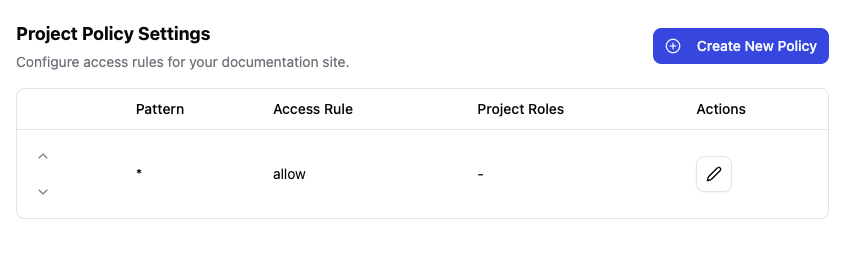
Access Policies List
Access the policy management screen from "Access Policies" in the sidebar.
Create a Policy
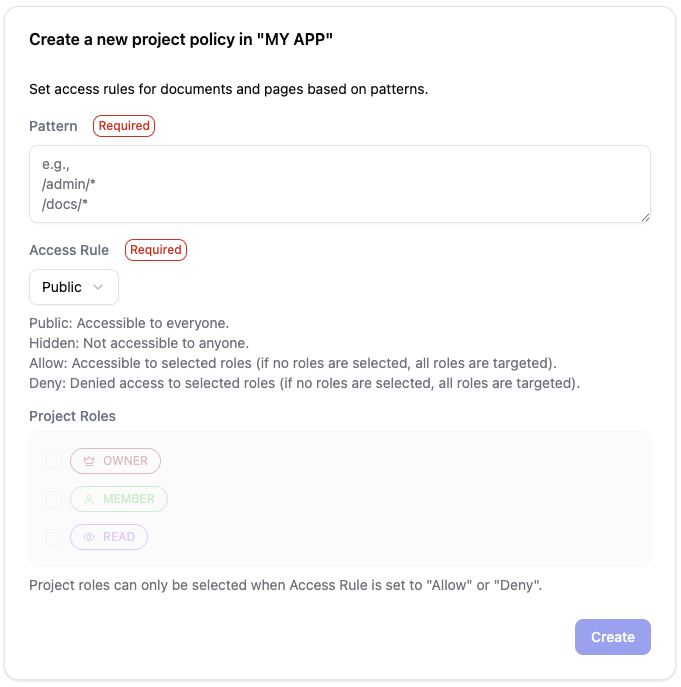
- Click "New Policy" on the policies list screen
- Enter the policy settings
- Click "Create"
Settings
Pattern
Specify the URL patterns to apply access control. Multiple patterns can be specified on separate lines.
/admin/*
/internal/reports/*
Access Rule
| Rule | Description |
|---|---|
| Public | All users can access |
| Hidden | Not shown in navigation, but accessible if URL is known |
| Allow | Only users with specified roles can access |
| Deny | Users with specified roles cannot access |
Project Roles
When "Allow" or "Deny" is selected, specify the target roles.
| Role | Description |
|---|---|
| Owner | Project owner |
| Member | Project member |
| Read | Users with read-only permission |
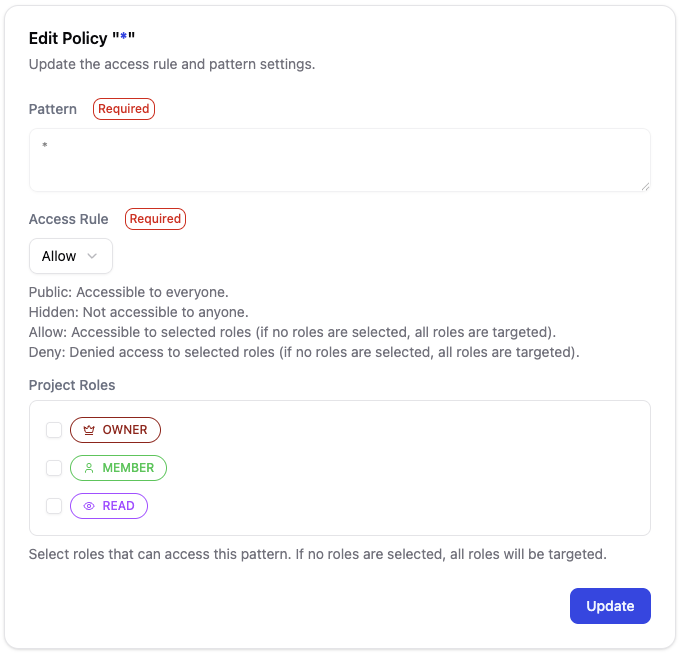
Edit a Policy
Click on the policy you want to edit from the list to open the edit screen.
Examples
Pages accessible only by administrators
Pattern: /admin/*
Access Rule: Allow
Roles: Owner
Pages that specific users cannot access
Pattern: /confidential/*
Access Rule: Deny
Roles: Read
Public pages
Pattern: /public/*
Access Rule: Public